At VLA School System, we are committed to continuously improving the way schools manage their daily operations. As part of our latest platform upgrade, we have introduced several powerful enhancements designed to improve security, performance, user experience, and school administration.
These updates are available immediately. While most improvements are automatic, a few require action from school administrators to ensure the best experience.
What's New?
Our latest release introduces the following improvements:
- 🔒 Enhanced Two-Factor Authentication (2FA) for stronger account security.
- 🏫 Improved School Logo Management with a new optimized media storage system.
- 🎓 Redesigned Student Portal featuring a modern dashboard and enhanced usability.
- 👨🏫 Upgraded Teacher Portal with improved classroom management tools.
- 👆 Fingerprint Attendance Integration for schools using biometric devices.
- ⚡ Faster performance and improved system reliability.
- 📱 Better mobile responsiveness across all devices.
Why This Update Matters
This release is more than a visual upgrade—it represents significant improvements to the platform's infrastructure.
Benefits include:
- Faster page loading and improved responsiveness.
- Enhanced data security and user authentication.
- Better management of uploaded media and documents.
- Improved accessibility on desktops, tablets, and smartphones.
- Support for future modules and advanced integrations.
- More efficient teaching, learning, and administrative workflows.
Administrator Action Required
1. Re-upload Your School Logo
As part of our new media management system, schools are required to upload their logo again to ensure it displays correctly throughout the platform.
How to Update
- Log in to the Administrator Portal.
- Navigate to Settings → Institution Settings.
- Locate the School Logo section.
- Upload your institution's logo (PNG, JPG, or JPEG).
- Save your changes.
Recommended Specifications
- PNG, JPG or JPEG
- Minimum size: 300 × 300 pixels
- Maximum file size: 5 MB
- Use a clear, high-quality logo.
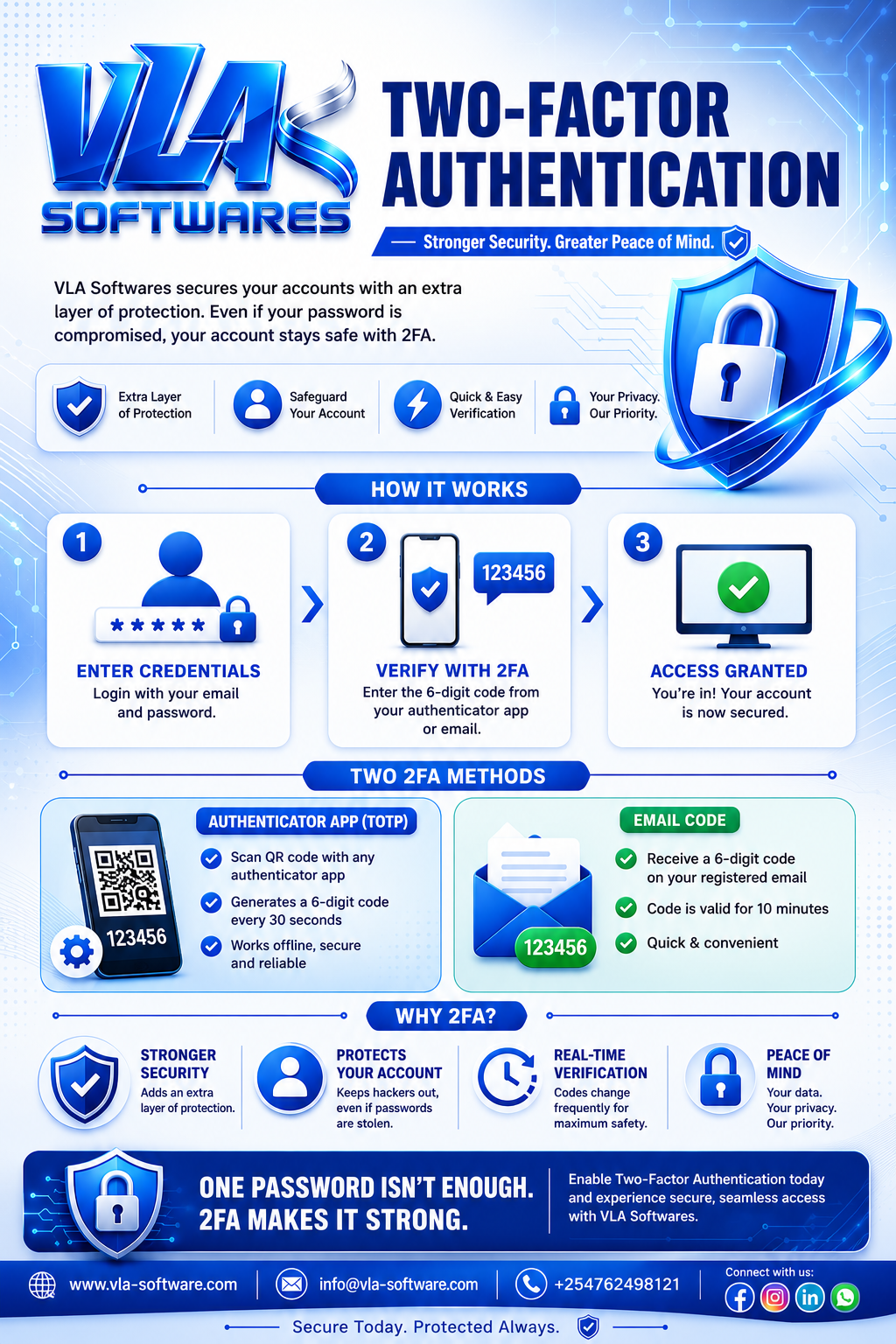
2. Enable Two-Factor Authentication (2FA)
Cybersecurity is more important than ever. To help protect your institution's information, VLA School System now supports Two-Factor Authentication (2FA).
When enabled, users will verify their identity using a one-time security code in addition to their password.
Enable 2FA
- Go to Account Settings → Security
- Enable Two-Factor Authentication
- Verify your email address or mobile number
- Save your settings
Recommendation: All administrators and staff members should enable 2FA to protect sensitive school information.
Enhanced Student Portal
The Student Portal has been completely redesigned to provide a smoother and more engaging learning experience.
New Features
- Modern dashboard
- Assignment and homework tracking
- Examination results and grade reports
- Class timetable access
- Real-time notifications
- Mobile-friendly interface
- Improved navigation
Students should log in and update their profiles to enjoy these new features.
Improved Teacher Portal
Teachers now have access to a more powerful workspace designed to simplify classroom management.
New Capabilities
- Faster class management
- Digital attendance management
- Improved gradebook
- Student performance analytics
- Resource and learning material sharing
- Better communication tools
Teachers are encouraged to explore the updated portal and familiarize themselves with the new interface.
Fingerprint Attendance Integration (Optional)
Schools using biometric fingerprint devices can now automate attendance recording through the VLA School System.
Benefits
- Accurate attendance records
- Faster student and staff check-ins
- Reduced manual errors
- Automatic attendance reports
- Real-time attendance monitoring
Configuration
- Navigate to Settings → Attendance Configuration.
- Connect your fingerprint device.
- Complete device setup.
- Enroll staff and student fingerprints.
- Activate attendance synchronization.
Note: Schools without biometric devices can continue using the manual attendance system.
Administrator Checklist
To complete this update, please ensure the following tasks have been completed:
- ✅ Re-upload your school logo
- ✅ Enable Two-Factor Authentication
- ✅ Inform students about the updated Student Portal
- ✅ Inform teachers about the enhanced Teacher Portal
- ✅ Configure fingerprint attendance (if applicable)
- ✅ Verify that all new features are functioning correctly
Need Assistance?
Our support team is available to help you throughout the upgrade process.
Email: support@vla-software.com
Website: https://vla-software.com
Whether you need help configuring biometric devices, enabling Two-Factor Authentication, or updating your institution settings, we're here to assist you.
Looking Ahead
These improvements are part of our ongoing commitment to providing schools with a secure, modern, and efficient management platform. More exciting features—including advanced reporting, AI-powered analytics, parent engagement tools, and additional integrations—are already in development.
Thank you for choosing VLA School System as your trusted school management solution. We appreciate your continued partnership and remain dedicated to delivering innovative technology that empowers administrators, teachers, students, and parents alike.